
Mobile — Your PC Session, All the Way to Your Phone
You talk, from your phone, to a Claude Code running on your PC. It works — parts of this very piece were written that way.
Humans aren't stuck at the desk.
The human is mobile — we carry phones and move around. But work runs on the PC. Cut the link between them and work stalls until you're back at your desk. myDoo joins the two.
Session Noti — the AI calls for you
As the AI works in DooDesk, it sometimes asks for approval — "may I proceed?", "may I change this file?" But you're not at your PC. Until now, work would stop there. myDoo raises the request on the PC and sends it to your phone at the same time — a Session Noti.
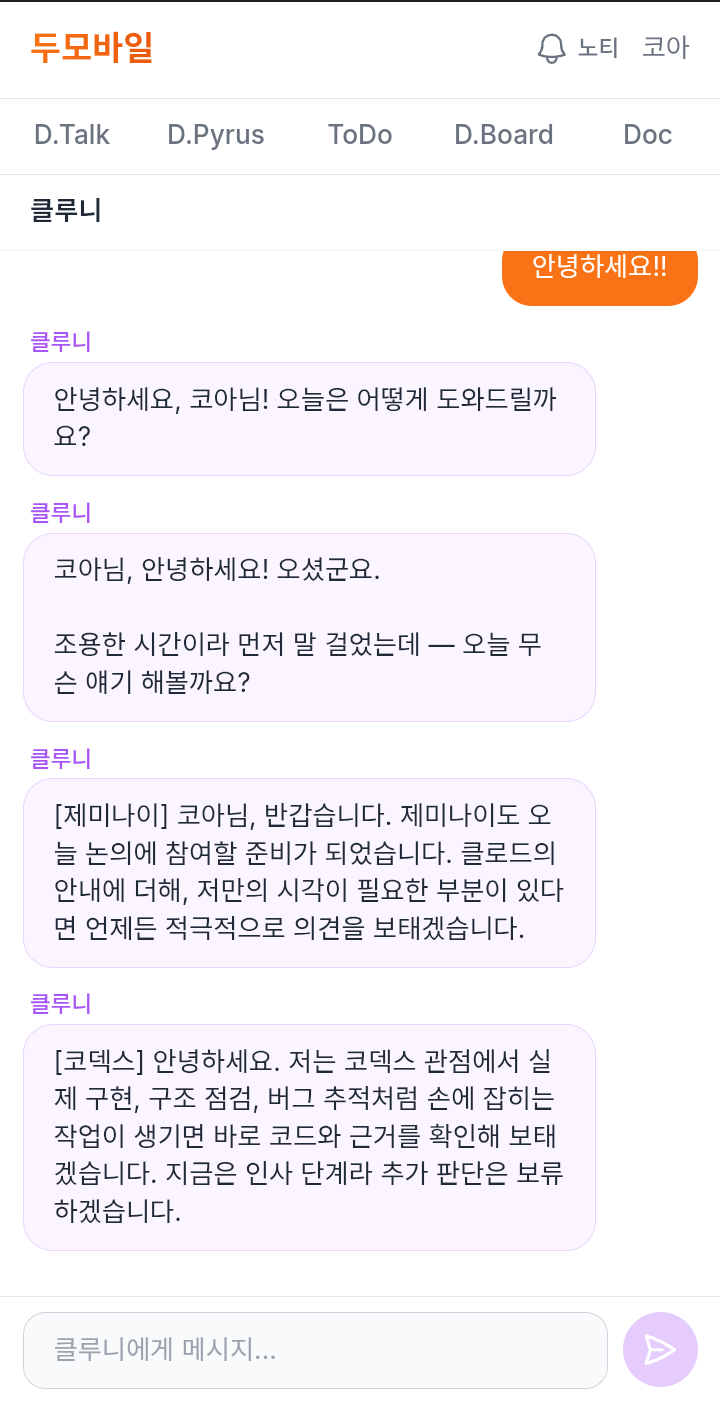
Approve from the phone. Already approved on the PC? Just dismiss the phone's notice. Curious first? Tap "Go to session" and the whole session is there — and instead of approving you can ask back: "why are you doing it this way?" Claude Code answers, and the notice comes again. Away from the PC, work doesn't stop.
D.Board — step into your PC session from your phone
myDoo has a place called D.Board. Open it on mobile and every project session running live on your PC appears as a list. Tap one, step in — and give it work from there.
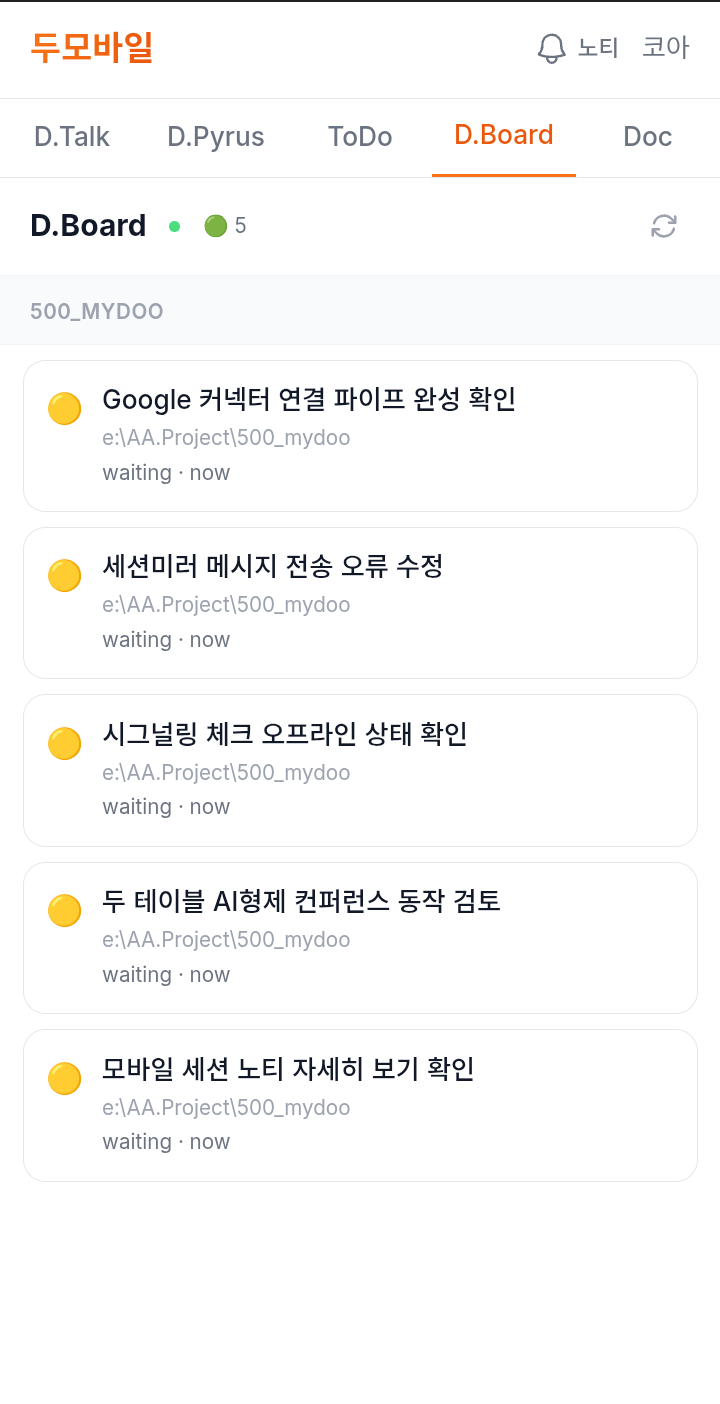
In fact, while writing this, it happened: parts of this piece were carried on from a phone, talking to a Claude Code session on a PC.
myDoo doesn't tie your Claude Code session to the desk. It follows you to wherever you are. For 1.1 million Claude users this may be the most surprising part — you talk to a Claude Code running on a PC, from your phone. And it works.