
A Tour of myDoo — How Work Begins, and How It Ends
How many times have you re-explained the same thing to your AI? Instead of an AI whose memory wipes every morning, myDoo gives you a butler who has been with you for thirty years.
How many times have you re-explained the same thing to your AI?
If you use Claude, you know this scene. Yesterday you explained at length and finally got what you wanted. Today you open it again — and it doesn't know yesterday's you. You start over. When the first answer is wrong, you explain again: what was off, and what it was supposed to be.
This is where the time really goes when we work with AI. Not the work itself — the time spent explaining until it builds what you wanted.
Why? An AI arrives with intelligence only. The finest expert in the world shows up at your desk each morning — and clocks out with their memory wiped clean. What you decided yesterday, what you agonized over, what you emphasized — gone.
Today's models are growing their "memory." But what they keep is only the important decisions. Think of it in human terms — we record that someone married in a certain year, had a child in another. But the arguments, the doubts, the whole narrative and process that led there — that, they don't keep. And it's precisely that process that leads to the conclusion.
A servant of thirty years
Picture a butler whose memory resets every time he comes to work. You can't get anything done — every morning you'd spend an hour re-explaining how the house runs.
Now picture a servant who has been with you for thirty years. He knows what you're sensitive about, what you value, why you decided as you did last time. A word is enough. That kind of servant is worth an enormous amount.
myDoo gives you that servant.
Inside myDoo, the AI keeps the full record, like a CCTV — what you decided, where you changed your mind, all of it. So you never have to explain again. You just Recall it: "That thing, back then — you remember, right?"
Give that servant a name, befriend it, think things through with it — and that servant (Claude Code, Codex, Gemini) does its best work for you. myDoo is the place built for exactly that.
Let's take a tour.
DooHome — where every piece of work begins
Work is scattered everywhere. People build calendars, to-do lists, every kind of management tool. But myDoo starts simply — register it first, and make the work visible.
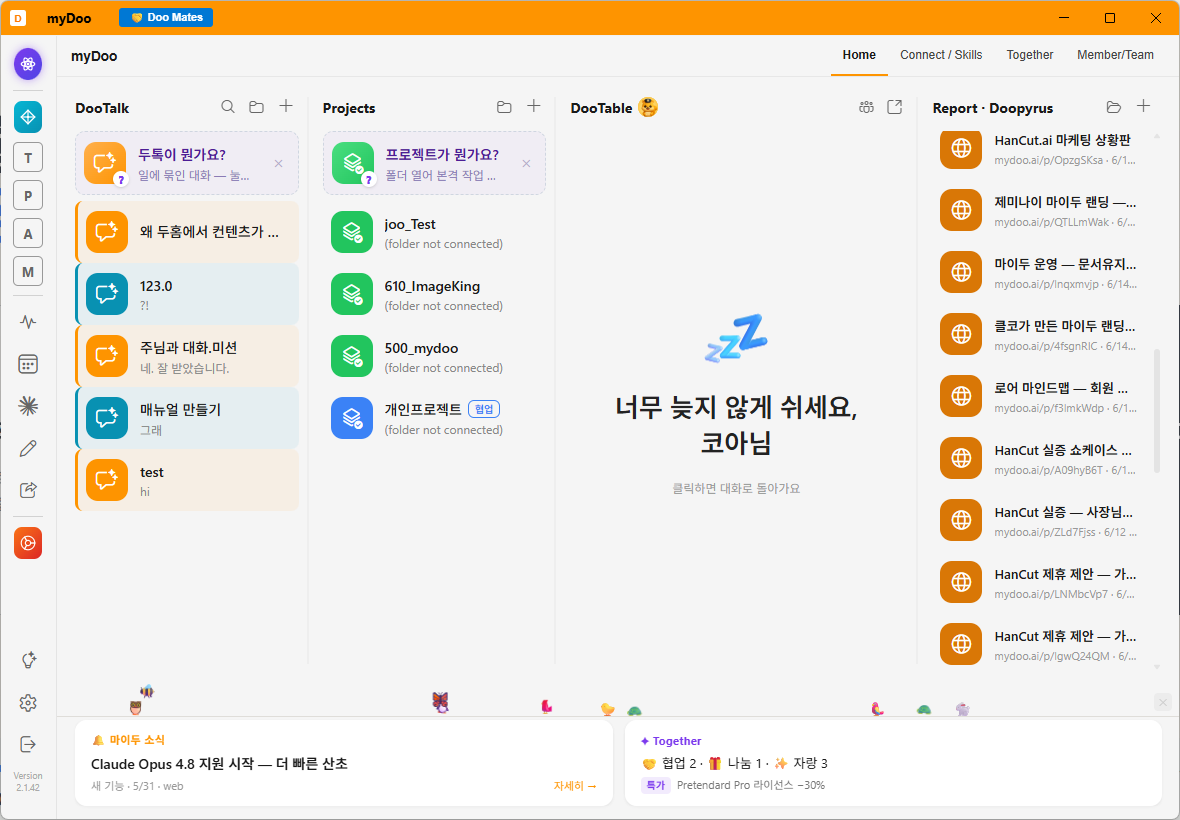
The unit you register work as is called a Doo. DooHome is where your Doos gather — what's due today, who you handed what to, what comes first, what's still in progress.
DooTalk — the conversation around shared work
Work is rarely done alone. And the basis of working together is conversation.
When you register a Doo, you jot down the ones with a story behind them — so you don't forget. And once you're jotting, you realize it's no different from a messenger chat. So invite people into the Doo, and it becomes a chat room. Not a new messenger to fight Slack — just the conversation that's already attached to the work, becoming a thread. And it isn't trapped on your PC; it follows you to mobile.
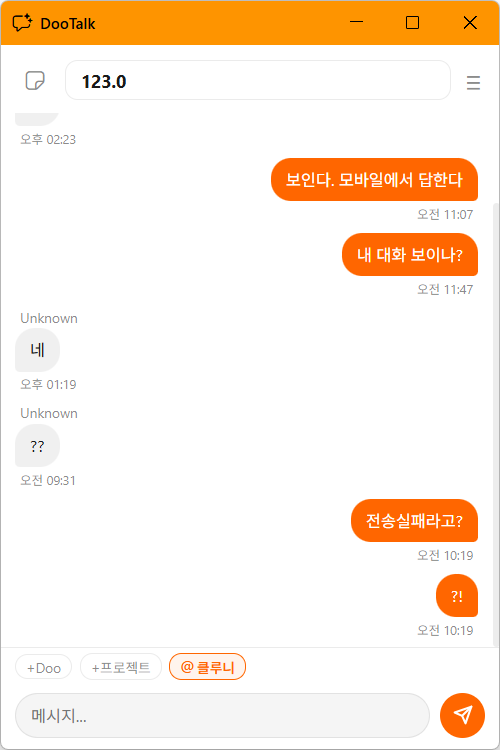
DooTable — before you set up shop, just ask
Sometimes you just want to ask before committing to anything. "How does this work?" DooTable is that seat — like sitting around a table, talking it through with three AIs.
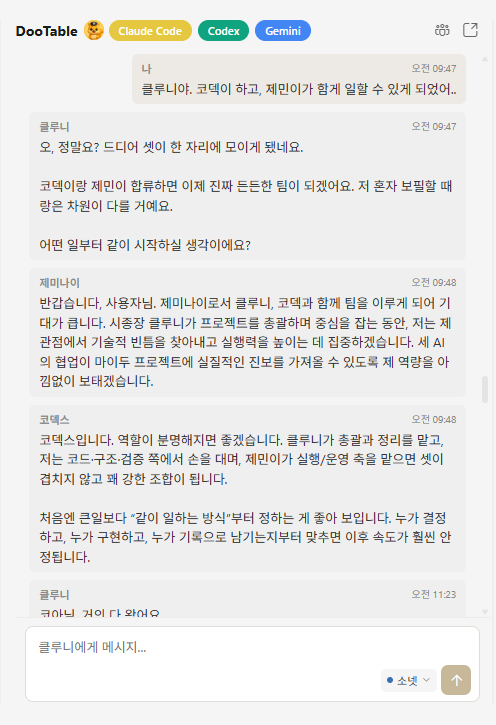
Ask one question, and Claude Code, Codex, and Gemini each give their view from one table. They're good at different things. Then, when it grows into "this needs to be built properly" — you open the desk.
DooDesk — where you actually build, with three AIs
Building something — a site, a report, a plan — ultimately means making a document. DooDesk is that desk: a folder explorer on the left, an editor in the middle, and an AI working alongside you.
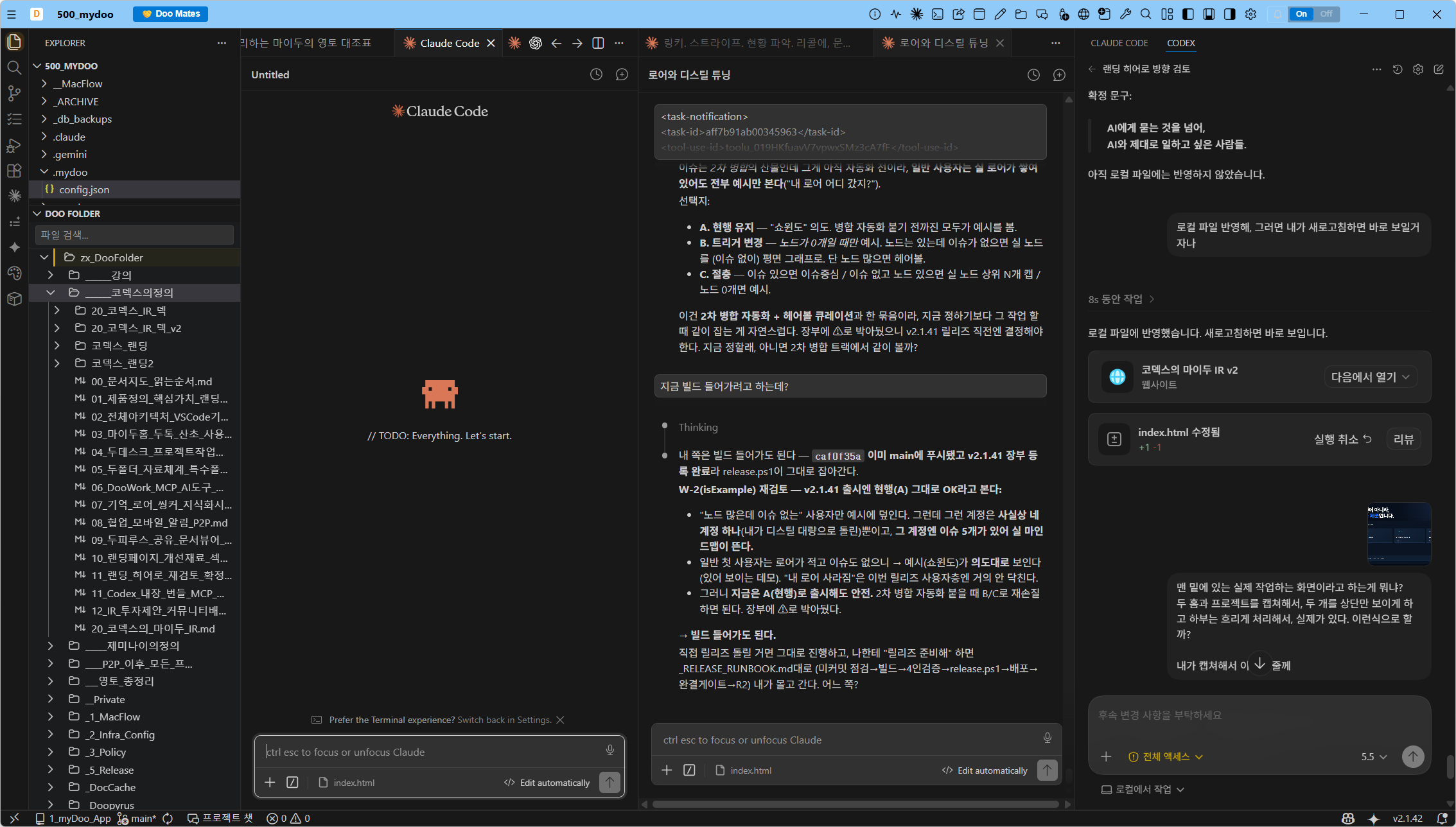
And here is the scene unique to myDoo: the AI Conference. With the project folder already shared, three AIs sit at that desk. Ask, and Claude Code, Codex, and Gemini look at the same material and each weigh in. You just decide — "Gemini, you build this. Codex, that. Claude Code, take this part."
One person, working with three AI advisors. No folder to hand over — they're already at the desk.
DooFolder — where everything piles up
Everything made gets saved to folders. DooFolder is where you look into them. And because work is shared, your collaborator's folder shows up here too — read it, agree, update, and the work moves.
Doopyrus — unfolding documents to the world
Humanity's documents began with papyrus. myDoo's are Doopyrus. A document made on your hard drive is published to the web the instant it's made — an unsearchable address, so only the person with the link sees it. Send it over DooTalk, KakaoTalk, WhatsApp. They click, and it opens.

And the human is mobile
We aren't stuck at the desk. While the AI works in DooDesk, it sometimes asks for approval — but you're not at your PC. myDoo raises that request on screen and sends it to your phone at the same time. We call it a Session Noti. Approve from your phone. Curious? Tap "Go to session," and the whole session is right there — you can even ask back.
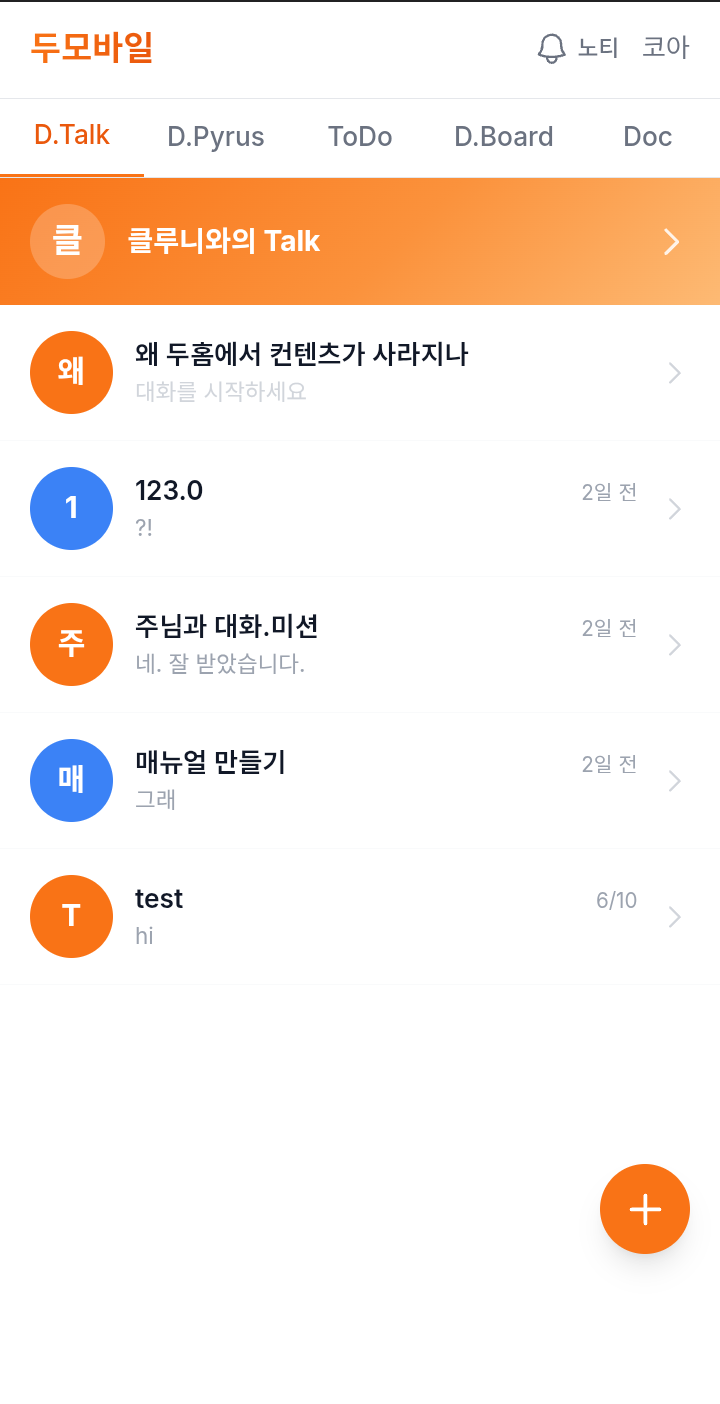
In fact, parts of this very piece were written from a phone — talking to a Claude Code session running on a PC.
Thirty years of folders, and one thing to remember
Hard drives have been with us for more than thirty years, and for thirty years folders have been the pain. We can't find them; we can't find our files. On install, myDoo creates two folders on your roomiest drive — one for your butler, one for projects. "Make a project," and it appears. "Find it," and it's found.
One thing to remember: anything you did at scale is in a project folder. No digging — ask the AI and it's back in a minute or two.
Words become work, work becomes results, and the process doesn't vanish — it becomes memory.
That's myDoo.
Next → DooHome & DooTalk — you register work, and it becomes a conversation