
DooFolder & Doopyrus — Your Work Piles Up, and Unfolds
We don't touch anyone else's plate. And the document you make is published to the web at once — leaving behind the era of attaching files.
When three AIs work, output piles up. Where does it all go? Into folders. DooFolder is where you look into them.
Thirty years of the folder problem
Hard drives have been with us for more than thirty years, and for thirty years the folder has been the pain. We can't find folders; we can't find files. myDoo solves it differently: on install, it creates two folders on your roomiest drive — one for your butler, one for projects. "Make a project," and it appears. "Find it," and it's found.
Anything you did at scale is in a project folder. No squinting through the explorer — ask the AI and it's back in a minute or two.
And all of it lives on your computer
Let's be clear about one thing. Your output and your memory are all saved on your own computer. Nothing goes up to some company's server. Your material is yours. Documents in DooFolder; if you code, your code in your own Git repo. Backup on if you want it, off if you don't. myDoo forces nothing.
Your collaborator's folder
Work isn't solo, so you want to see your collaborator's folder too. Here's a myDoo principle:
We don't touch anyone else's plate. If we need it, we copy it over and use it.
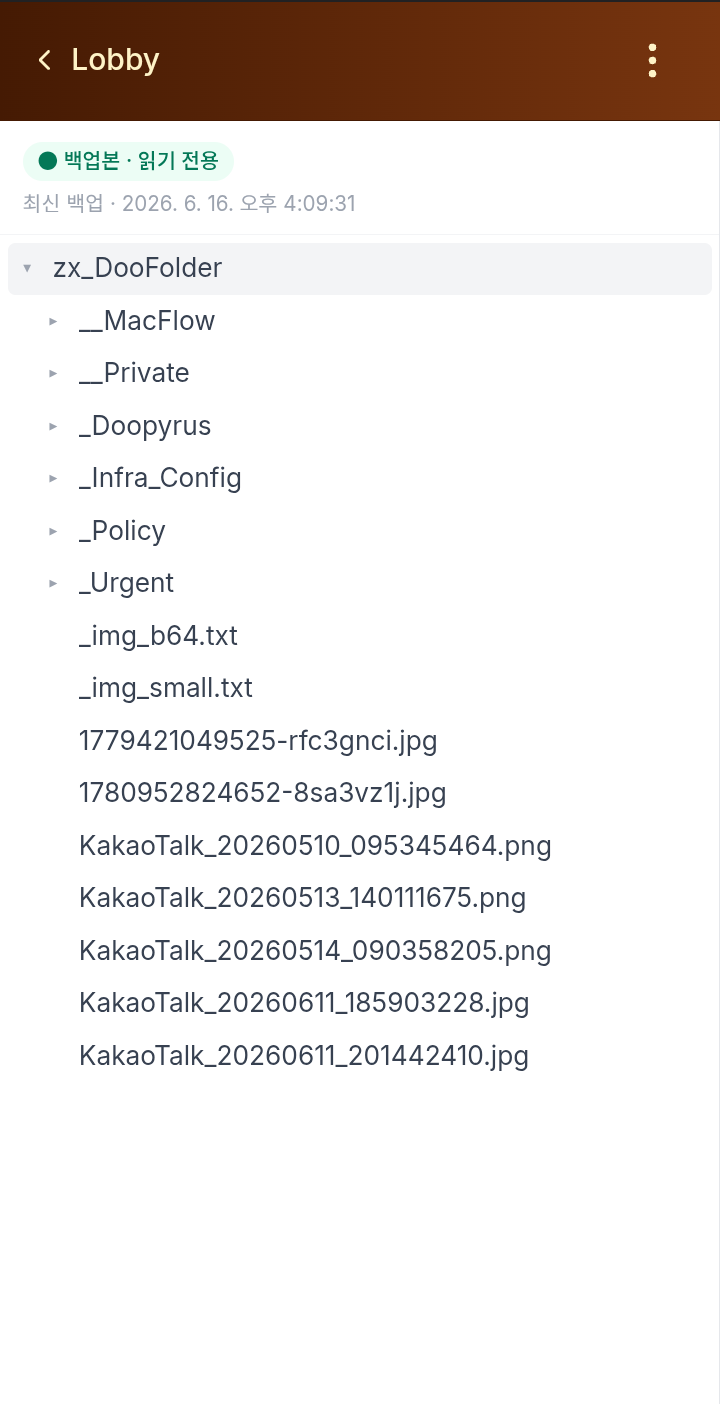
What burns you most with collaboration tools? A sync that wipes your file. myDoo makes that structurally impossible: a collaborator's folder is read-only on your screen. You can't write over it; they can't overwrite yours. Ownership and boundaries are clear.
Doopyrus — unfolding documents to the world
Humanity's documents began with papyrus; myDoo's are Doopyrus. A document made on your hard drive is published to the web the instant it's made — an unsearchable address, so only the link holder sees it.

Send the link over DooTalk, KakaoTalk, WhatsApp. They tap, and it opens — no "download?", no "open with which app?". We leave behind the era of making a document and attaching it as a file.